Create Knative Sequence to Streamline ML Workflows
What Knative features will we learn about?
- Knative Sequence
What does the final deliverable look like?
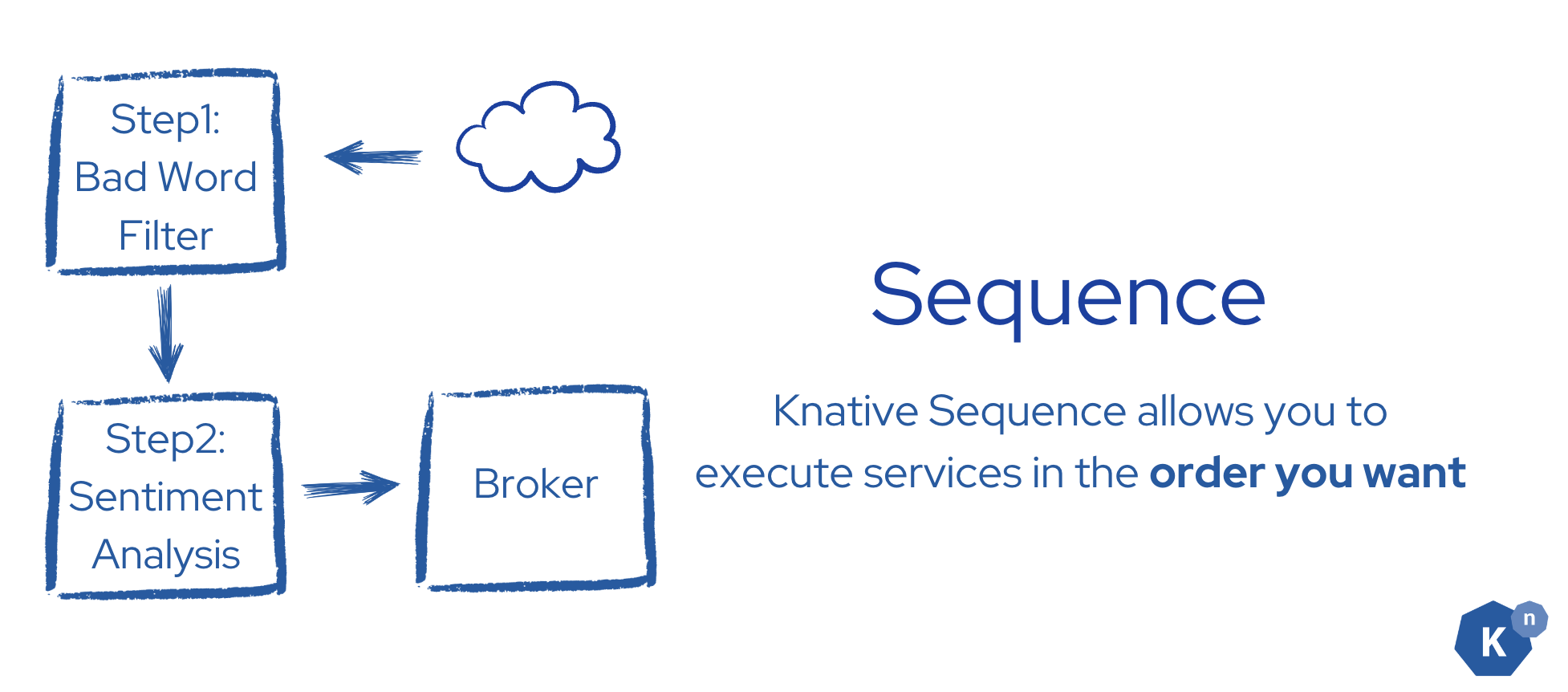
- Create a Knative Sequence with bad word filter service as step 1 and sentiment analysis service as step 2
- The final result is sent back to Broker as reply of the Sequence
Implementation
Step 0: Learn Sequence
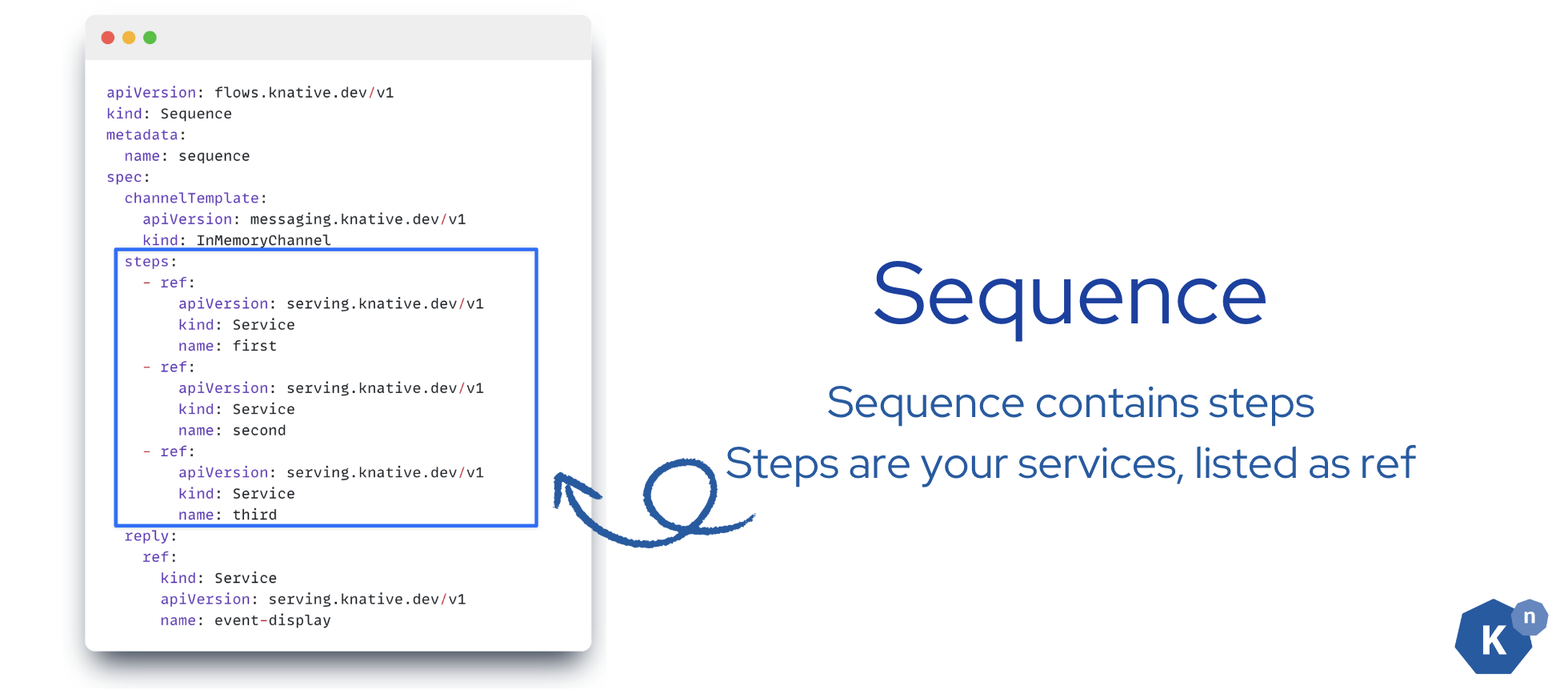
Sequence provides a way to define an in-order list of functions that will be invoked. Each step can modify, filter or create a new kind of an event.
If you hope your event to pass through different services in an order you like, Knative Sequence is your choice.
apiVersion: flows.knative.dev/v1
kind: Sequence
metadata:
  name: sequence
spec:
  channelTemplate:
    apiVersion: messaging.knative.dev/v1
    kind: InMemoryChannel
  steps:
    - ref:
        apiVersion: serving.knative.dev/v1
        kind: Service
        name: first
    - ref:
        apiVersion: serving.knative.dev/v1
        kind: Service
        name: second
  reply:
    ref:
      kind: Service
      apiVersion: serving.knative.dev/v1
      name: event-display
Step 1: Create the Sequence
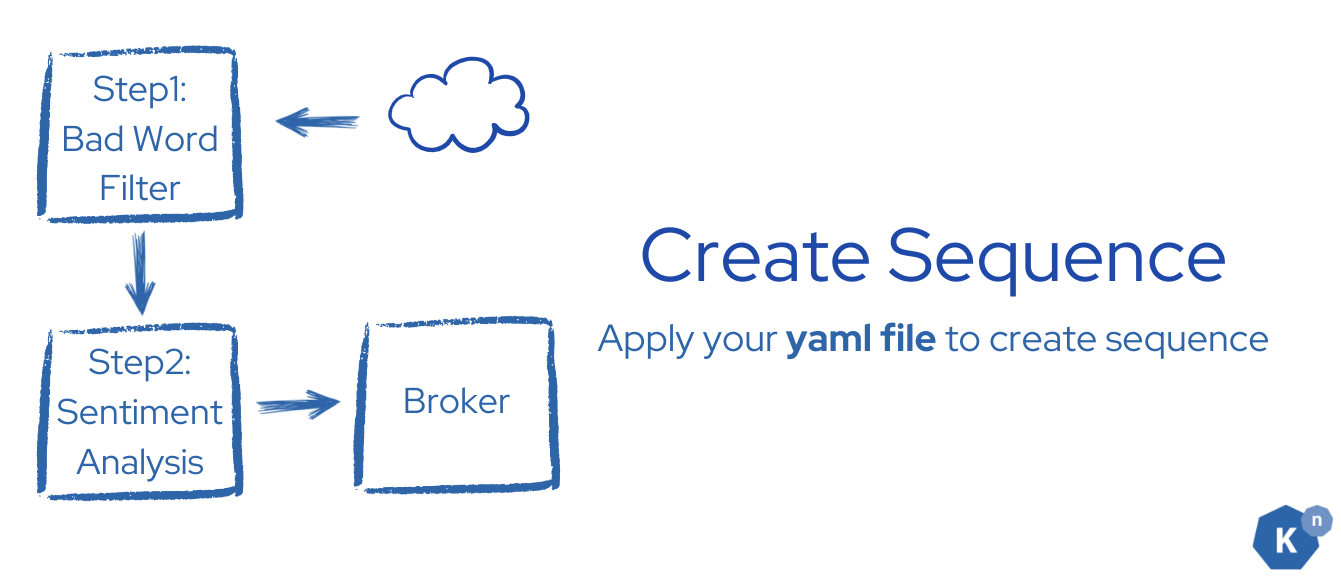 Use the canonical Sequence manifest (view on GitHub).
Its steps run the bad-word filter first, sentiment analysis second, then reply to
Use the canonical Sequence manifest (view on GitHub).
Its steps run the bad-word filter first, sentiment analysis second, then reply to
bookstore-broker. From the start directory, copy the checked-in manifest:
mkdir -p sequence/config
cp ../solution/sequence/config/100-create-sequence.yaml sequence/config/
Apply it to your cluster:
kubectl apply -f sequence/config/100-create-sequence.yaml
After applying the configuration, you should see the following output:
sequence.flows.knative.dev/sequence created
Verify
You can verify the status of the Sequence very easily
kubectl get sequences
You should expect the Ready state for sequence to be True.
NAME       URL                                                                  AGE    READY   REASON
sequence   http://sequence-kn-sequence-0-kn-channel.default.svc.cluster.local   159m   True
Step 2: Create the Trigger that pass the event to Sequence
As the Sequence is ready to accept the request now, we need to tell the Broker to forward the events to the Sequence, so that new comments will go through our ML workflows.
Use the canonical Sequence Trigger manifest (view on GitHub),
which forwards only new-review-comment events to the Sequence:
cp ../solution/sequence/config/200-create-trigger.yaml sequence/config/
Apply it to your cluster.
kubectl apply -f sequence/config/200-create-trigger.yaml
And you should see the following output:
trigger.eventing.knative.dev/sequence-trigger created
Verify
You can verify the status of the Trigger very easily
kubectl get triggers
You should see the Trigger in ready state.
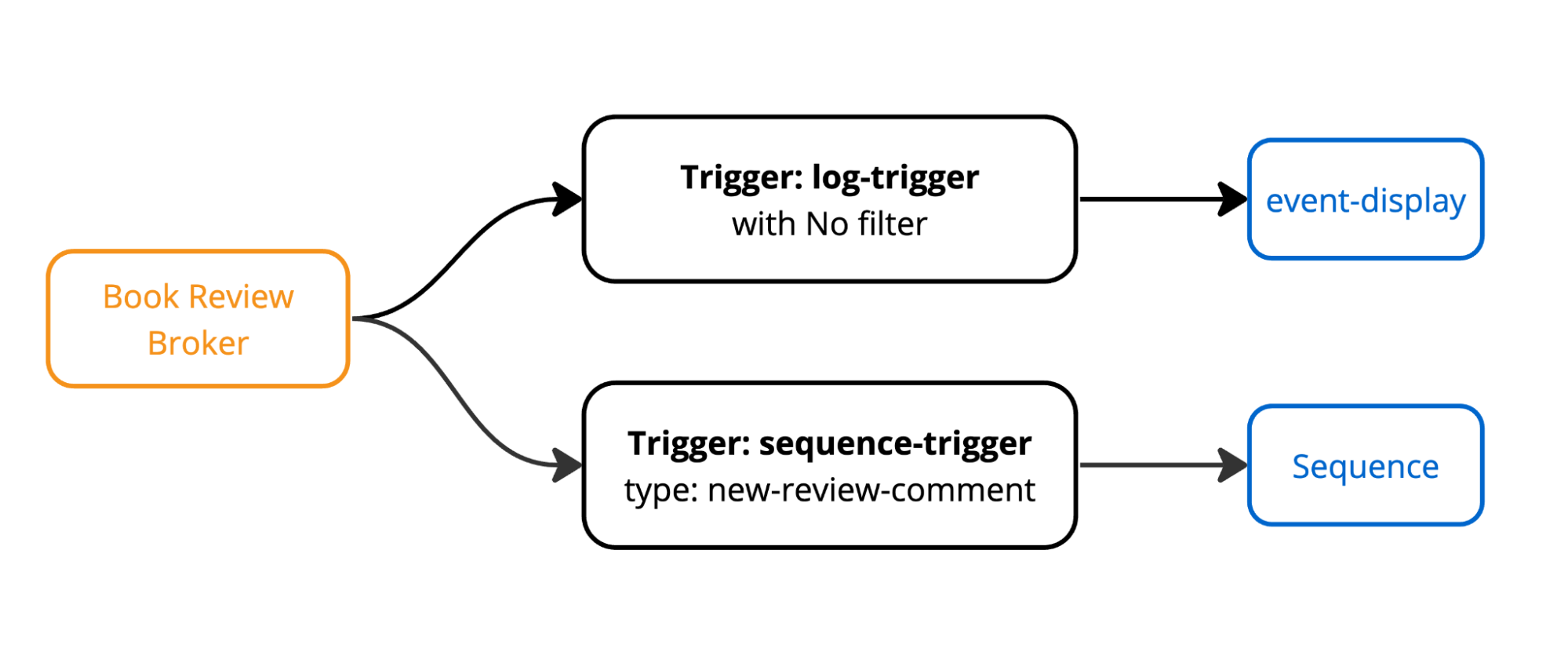
NAME                BROKER             SUBSCRIBER_URI                                                       AGE    READY   REASON
sequence-trigger    bookstore-broker   http://sequence-kn-sequence-0-kn-channel.default.svc.cluster.local   162m   True
log-trigger         bookstore-broker   http://event-display.default.svc.cluster.local                       164m   True
And until this point, your cluster should have the following Triggers that are created by you.
Verification
Open the log for event-display with the following command:
kubectl logs -l app=event-display -f
Type something in the comment box in the UI and click the submit button. All the events that the bookstore-broker received will be displayed in the event-display.
Verify
The comment should appear in the event-display service with the following output:
☁️cloudevents.Event
Validation: valid
Context Attributes,
specversion: 1.0
type: moderated-comment
source: sentiment-analysis
id: 2f703218-15d4-4ff8-b2bc-11200e209315
time: 2024-04-21T01:26:27.608365Z
datacontenttype: application/json
Extensions,
badwordfilter: bad
knativearrivaltime: 2024-04-21T01:26:27.617405597Z
sentimentresult: negative
Data,
{
    "reviewText": "XXXXXXXXXXXX",
    "badWordResult": "bad",
    "sentimentResult": "negative"
}
Next Step

In this tutorial, you learned how to create a Sequence to build a ML pipeline.
Next, we'll be learning how to spin up book store's database services, while learning what will be the best case to use Knative Serving.